It’s no secret that artificial intelligence is taking the world by storm, and it has been for many years. While there are many resources for learning how to leverage AI for software engineers, using it as an Engineering Manager isn’t so straightforward.
Of course there are ethical implications to be cognisant of when using AI to write code, but there are many more use cases that warrant caution as a manager.
You wouldn’t, for example, use AI to evaluate the performance of your direct reports, firstly because AI doesn’t have insight into all factors that determine how someone is performing against expectations, and secondly because you should be leveraging AI as assisted augmentation, not to entirely outsource tasks with no oversight.
Assisted Augmentation: using tools, systems, or external support to enhance human capabilities, rather than replacing humans entirely
While I am still an AI-novice, I’m going to share five ways that I’m using AI to improve my work as an EM.
If you have any AI hacks as an EM, please share them with me. I’m always looking to supplement my skillset.
1. Using Notebook LM To Stay Technically Proficient
Staying technical as an EM is one of the most difficult things I’ve encountered since making the transition. Especially being neurodivergent, having a multitude of documents, videos, and Slack threads floating around about a topic is overwhelming.
If only there was one place I could dump every conversation, document, and meeting recording to get one succinct resource to consume…
Enter Notebook LM.
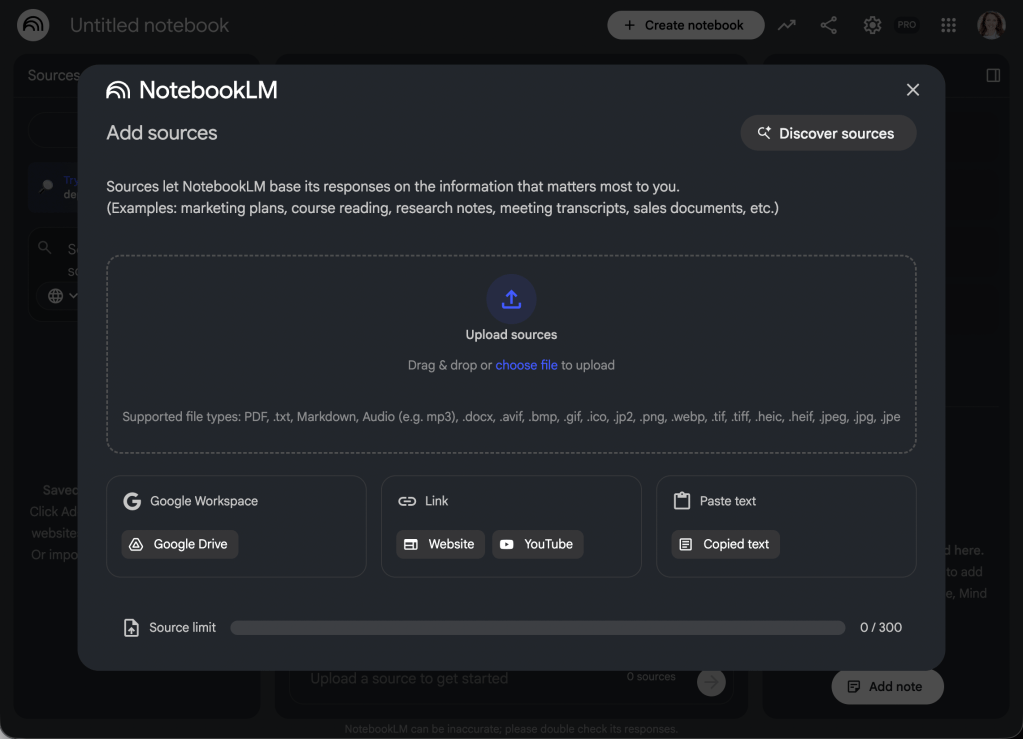
NotebookLM is a tool from Google that lets you aggregate a multitude of resources and generate accessible content. And not only can you upload all of your sources, but you can use the Studio to create assets like an audio overview in conversational podcast-style that you can listen to as you commute to work in the morning.
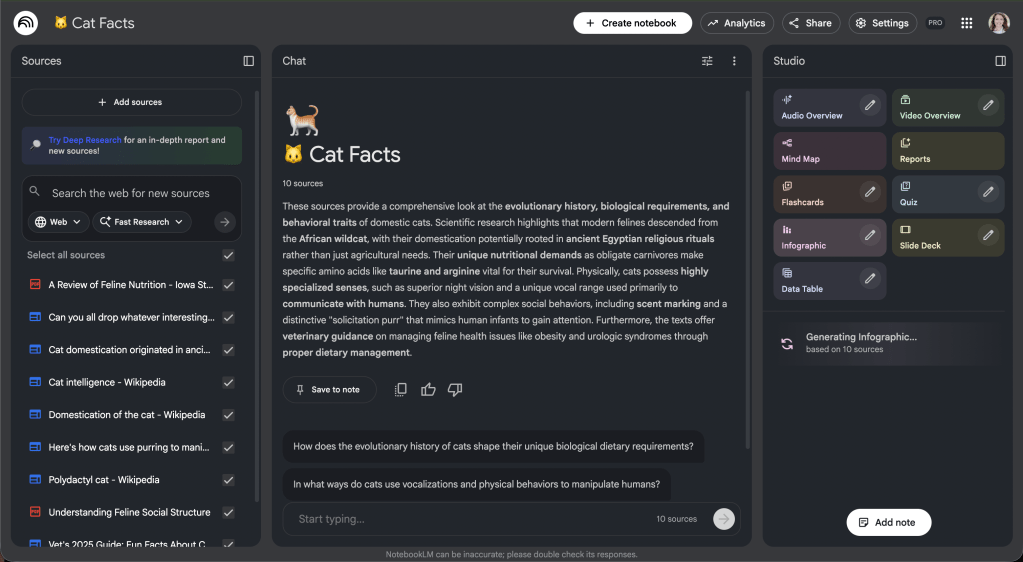
You can also use the studio to generate info graphics and slide decks.

This tool has been incredibly helpful to gain a deep understanding of technical topics without inundating the engineers with questions. It also helps protect my attention and focus by organizing information from several resources into one accessible piece of content.
2. Using Claude Code To Generate Feature Overview Reports
If you manage a team of engineers there’s a good chance you’ve heard of Claude Code. With Claude, you describe in natural language to achieve tasks.
You can even use Claude Code as a manager without any coding background to learn more about your codebase.

One of the cool features with Claude Code is the ability to create Agent Skills. These allow you to create skills that expand Claude’s capabilities.
As a manager I find it difficult to stay updated on the architecture of every feature in our codebase. So I created a skill to provide an overview for a feature when prompted.
I first added a folder for my skill with a SKILL.md file inside.
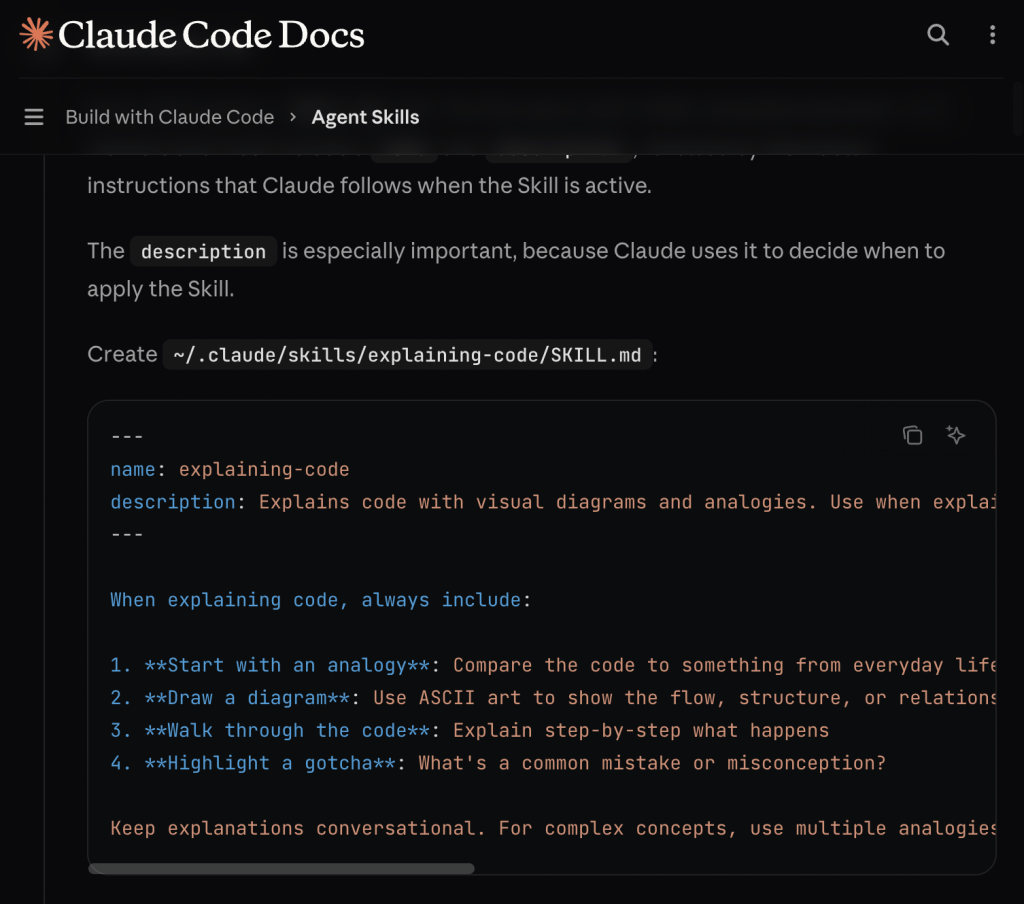
In the markdown file I specified how I wanted the overview to be generated. Some of the specifications I made include:
- Gather information about what a feature is and its business value
- Gather information about how a feature is built
- Create a diagram of how the feature fits into the codebase and where it gets its data from
- Create a list of teams responsible for providing data to the feature
- Create a list of engineers who worked on this feature
- Generate a comprehensive report
An important note I passed along to Claude was to “Focus on both high-level explanations about a feature’s creation and architecture for non-technical stakeholders as well as a deeper technical explanation for how it’s built for engineers.“
Claude Agent Skills can be invaluable as an EM because they allow you to create tools to enhance your workflow and stay technically relevant.
3. Using Gemini To Scaffold Technical Documents
Part of the EM role is creating technical documents that are often shared with your direct reports and leadership group. Most of the mental lift I face when writing documents isn’t necessarily writing the content, but scaffolding a well-thought-out document with a logical flow.
Just today I used Gemini to create a bug and technical debt strategy. The prompt I entered stated: “I need to create a strategy for how we track and manage our bugs and technical debt. It needs to include an evaluation of the current state of our product/backlog as well as a recommendation for how we improve the process.”

Gemini then created a document with the desired structure. This allows me to focus more on the content by allowing AI to worry about a logical document flow.
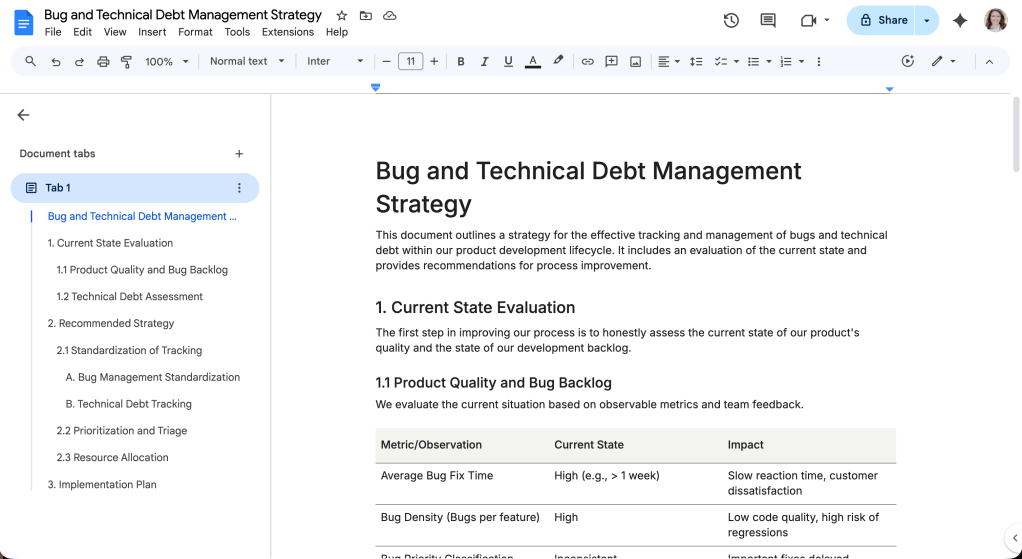
Of course, I don’t usually keep the entire structure and content of the document after the first pass, but it assists me in getting a head start.
4. Using Slack AI To Get An Overview Of Work
Did you know you can prompt Slack AI to get an overview of a channel or thread? This has been incredibly helpful after returning from six months of parental leave.
I was able to prompt Slack to get an overview of the work that had happened in workstream and team channels during a specified time period.
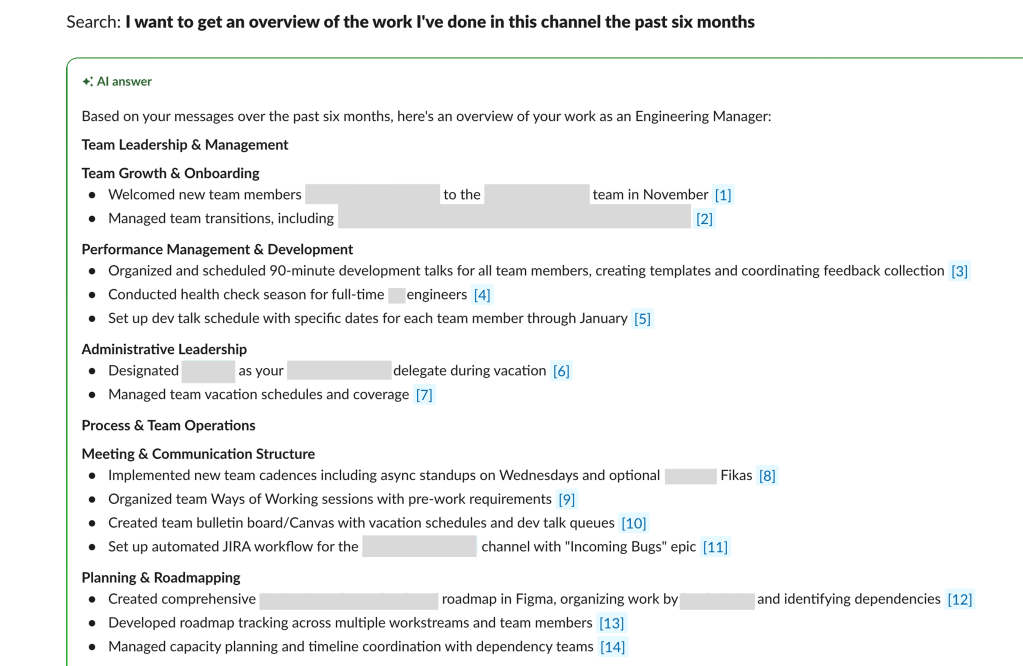
I’ve used Slack AI to:
- Search
- Generate workflow automations
- Create conversation summaries
- Get a recap of what happened in a channel
- Ask what a feature is across all channels
Slack can be overwhelming as an EM who is in meetings all day and returns to many channel updates. Learning to leverage its AI capabilities has saved me time.
5. Using GPTs To Create A Career Coach
One of the most time consuming tasks my engineers have to complete is a review of how their past months have gone, what they achieved, what skills they have and a forecast of where they want their careers to grow.
Historically I’ve created Google docs with form fields for them to complete this self-assessment. However, AI can greatly improve the experience of conducting goal setting activities and performance reviews.
You can create custom GPTs within ChatGPT to create custom versions of the agent. I’m in the process of creating a GPT that will allow engineers to have a more engaging goal-setting activity.
To set a baseline understanding of the skills required at each career level, you can upload your career framework and skill assessment template as knowledge to your GPT.
Then you can prompt the Agent to create a custom version of ChatGPT to engage with your engineers and help them develop concrete goals to serve their career ambitions.
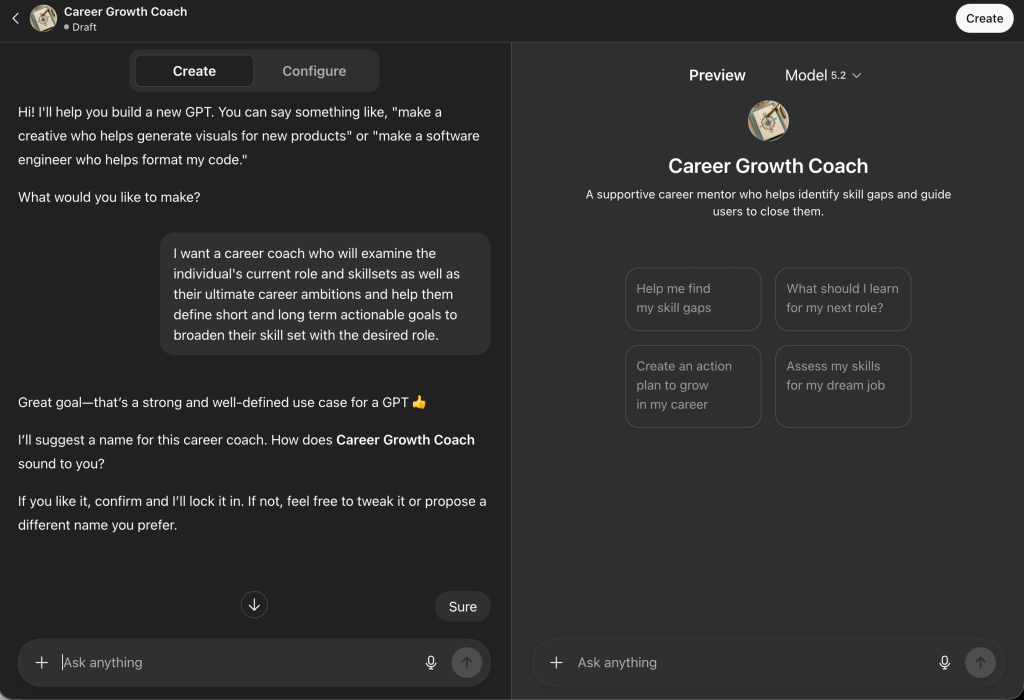
There is also an open ecosystem of GPTs to choose from. You can use one of these or get inspiration for your own custom-tailored GPT.
As I encounter challenges in my day-to-day work as a manager, I’m constantly looking for new ways to leverage AI to improve my productivity.
AI will never be a replacement for a human engineering manager, but it can be used as a tool to enhance your work.
How are you using AI tools in your role?


 Commit To Lead
Leave a comment